

What’s New in Qlik Cloud
– August 2026 Updates –
Welcome to the next edition of the ‘What’s New in Qlik Cloud’ blog for August 2026, covering the features released in July 2026.
Authors: Roger Gray, BI Manager & Tom Cotterill, BI Consultant, at Climber.
Data Analytics
This month, Qlik Answers gains PDF conversation export, glossary-aware semantic matching, and a new Fast Mode for near-instant answers on structured data questions. Table Recipe picks up meaningful data quality and preparation functionality. Automation becomes noticeably more flexible with richer scheduling options and new programmatic, ownership-free management for administrators. Direct Access gateway sees both new controls and performance improvements under the hood.
1. Fast Mode for Qlik Answers
Qlik Answers introduces Fast Mode, now the default experience for application analysis, returning answers in seconds for direct, retrieval-style questions against structured data – pulling a number, slicing by a dimension, or generating a quick chart.
- Thinking Mode remains unchanged and is still the right choice for complex analysis, multi-step reasoning, or building charts and sheets from scratch – it’s simply no longer the only option
- Switching modes takes one click via a toggle in the chat interface, and conversation context carries over
- If Fast Mode can’t answer a question properly, it says so rather than returning a weak response, and offers a Think more button that reruns the question in Thinking Mode with full context preserved
- Available by default for all users with application analysis access – no configuration required
2. Business glossary context for Qlik Answers application analysis
Qlik Answers now uses linked business glossary definitions and synonyms when indexing application master items. This improves semantic matching and terminology consistency when users ask questions.
Note: Glossary definitions are evaluated at indexing time, so applications need to be reindexed after glossary updates for changes to take effect. Only glossary terms in Verified state are considered.
3. Export Qlik Answers conversations as PDFs
New conversations with the Qlik Answers assistant can now be exported as PDF files. So, this covers conversations that draw on both structured and unstructured data within an application and assistant context.
Note: Conversations created before this release cannot be exported – this only applies going forward.
4. Table Recipe: data quality with semantic types
Table Recipe gains native data quality capabilities to detect, visualise, and fix invalid or inconsistent data without leaving its no-code, spreadsheet-like interface:
- Data type and semantic type discovery: Columns are automatically assigned native types (integer, date, text) or semantic types (email, phone number, postal code, country code, and more, including custom dictionary-, pattern-, or compound-based types), with manual override available
- Column quality bar: Each column header shows a bar indicating the proportion of valid, empty/null, and invalid values
- Cell-level invalid value indicators: Invalid cells are flagged in red
- Validity-based filtering: Clicking a segment of a column’s quality bar filters rows by quality status
- Cleanse and contextual remediation suggestions: Replace, clear, or fill invalid, null, or empty values, with suggestions based on detected issues and type
Note: Requires the data quality licence entitlement (Qlik Cloud Analytics Premium and Enterprise, and Qlik Sense Enterprise SaaS).
5. Table Recipe: calculated column and Format number functions
Table Recipe adds further no-code data preparation logic:
- Calculated column: Add a new column based on a Qlik script expression combining existing columns and functions, with a built-in expression editor offering syntax highlighting, autocomplete, inline function guidance, and direct links to Qlik Help
- Format number: Control how numeric values display, with predefined or custom patterns and configurable decimal/thousand separators, also added to the Numbers processor in Data Flow
- Show more: Button in filter configuration now loads additional value suggestions from the selected column
6. Flexible scheduling for automations
Automations can now use the same recurrence options already available for app reload scheduling. This make it far easier to run automations exactly when needed. Previously, automation schedules were limited to a start date, an end date, and a fixed recurrence interval. Anything more specific, such as running only on weekdays, had to be built into the automation logic itself using condition blocks. With this update, automations can be scheduled to run:
- Weekly, monthly, or yearly, not just at fixed intervals
- On specific days of the week or month
- On recurring patterns such as the last day of every month
- Multiple times per day within a defined time window
- Between a start and end time each day, until a defined end date
7. Programmatically manage your organisation’s automations, without transferring ownership
Trusted OAuth machine-to-machine (M2M) bot users can now back up, audit, migrate, and manage automations across a tenant programmatically using the admin.automations scope – including automations owned by other users – without first having to temporarily transfer ownership. This builds on the existing admin.apps scope, which already provides similar access to private application content for administrative and programmatic use cases.
8. Extensions and themes now show “Not migrated” after storage cutover
Following the storage migration cutover, extensions and themes that weren’t migrated before 30 June 2026 are now marked Not migrated in the Administration activity centre and can no longer be migrated automatically.
Action may be required: To retain access to affected extensions and themes, re-upload them to your Qlik Cloud tenant, or open an application using the theme or extension to trigger auto-migration.
9. New Direct Access gateway version (1.7.16)
Direct Access gateway 1.7.16 brings a mix of new capabilities and performance improvements:
- Chunks recovery per connection: Chunks recovery can now be disabled for specific connectors, giving more granular control over reload resilience and performance; this overrides the global configuration and can be set via connector settings or the Public API
- Canada region support: The gateway now supports deployment in the Canada region, for customers with data residency requirements
- Improved reload stream throughput: Automatic improvements via optimised thread pool management, WebSocket protocol handling, and adaptive pacing, requiring no configuration
- File Connector custom file extension support: Configurable allowed file extensions beyond the default supported types, set via gateway settings or the extension configuration file
Data Integration
August brings a strong and varied set of updates across Qlik Talend Data Integration. The headline addition is the full Stitch SaaS connector catalogue, opening access to more than 100 pre-built application sources. Elsewhere, Qlik has added deeper Trust Score analysis, more expressive validation rules, tighter data product governance, improved Lakehouse controls, and a new graphical API Designer.
1. Introducing change management for lake landing replication tasks
Lake landing replication tasks now include a dedicated Store changes tab, bringing their change management options closer to those already available for standard replication tasks.
Key capabilities include:
- Change Table capture to store source INSERT, UPDATE, and DELETE operations on the target for incremental downstream processing
- DDL handling controls to either apply source schema changes automatically or ignore them to preserve a fixed Change Table structure
- Before and after images for updated records, with configurable naming suffixes and header column prefixes
- Header column management to exclude unnecessary system metadata or retain the full set for audit purposes
- Flexible full load behaviour, allowing existing Change Tables to be recreated, cleared of previous changes, or retained with their full history
The existing Change Data Partitioning settings have also moved from the General tab into Store changes, keeping related options together.
For teams using lake landing as part of a wider incremental processing architecture. his provides much more control over how changes are captured, structured, and retained.
More information: Store changes settings
2. Qlik Trust Score™ forensic for data products
A new Quality tab within each data product provides a much deeper view of its composite Qlik Trust Score™.
Rather than seeing only the current headline score, users can now explore what is influencing it, how it is changing, and which underlying datasets are driving those movements. The drill-down takes you through the contributing layers, helping you move from the overall score to the root cause of a quality issue in only a few clicks.
This makes the Qlik Trust Score™ more transparent and actionable. Data product owners can identify where attention is needed, while consumers gain a clearer understanding of why a product should be considered trustworthy.
More information: Qlik Trust Score™
3. Advanced expressions and conditional branching in validation rules
Validation rules can now use Qlik script expressions, opening the door to more sophisticated data quality checks without leaving the guided rule builder.
The update adds support for:
- Arithmetic expressions using operators such as +, -, *, /, and modulo
- String and number functions, including Len, Trim, Left, Right, Mid, IsText, IsNum, and Floor
- Parenthesised sub-expressions to control the order in which calculations are evaluated
- Multiple conditions with else if, allowing different validation logic to be applied depending on the data
For example, a rule could validate that fieldA + fieldB = fieldC, or apply different checks depending on the value or type of another field.
Inline expression validation also highlights errors before the rule is saved. Altogether, this gives quality teams much more freedom to build detailed, conditional checks while remaining within the visual interface.
More information: Working with validation rules
4. Request access to data products
Data consumers can now request access to a data product directly from the Data Marketplace when they do not have the required permissions or connections.
Previously, users had to identify the appropriate person within their organisation and request access manually. The new process provides a form within the Marketplace that captures details such as:
- The requester’s name and role
- The reason access is needed
- The required permission level
This creates a clearer, more structured route for requesting governed data access, reducing interruptions for consumers who have found the right data product but cannot yet use its underlying datasets.
More information: Requesting access to spaces
5. Enriched and automated classification through semantic types
Qlik Cloud can now use semantic types to detect and classify sensitive data automatically.
Rather than relying entirely on manual sensitivity declarations, classifications can be applied consistently across datasets wherever recognised semantic types are found.
Fields not covered by a semantic type can still be classified manually, and regulatory requirements can be assigned directly at dataset level.
When a data product is activated, this information is surfaced automatically so consumers can understand any relevant compliance considerations before the product appears in the Marketplace.
This brings sensitivity classification closer to the data itself, helping teams maintain clearer, more consistent governance as datasets and data products evolve.
More information: Managing semantic types
6. Improved header column support for Open Lakehouse streaming tasks
Mind your headers. Qlik Open Lakehouse now provides more control over the metadata columns added to records during streaming ingestion, such as timestamps.
Header column visibility can now be configured across both streaming landing and streaming transform tasks. Within transform tasks, you can choose whether headers are hidden, displayed in the current view, or included in the history view.
The expression builder now also exposes landing headers, making them available for use within transformation expressions. A further setting allows the hdr__from_timestamp column to appear in the current view, supporting partition-based queries where data is partitioned by ingestion date.
Note: These improvements are not supported in Qlik Cloud Government.
More information:
Showing header columns in views
Standard view headers
7. Design, document, and test APIs in Qlik Cloud
A new API Designer brings the main stages of API development into Qlik Cloud, covering design, documentation, and testing within a single graphical experience.
Users can create OpenAPI Specification (OAS/Swagger) or RAML definitions without needing to write the underlying syntax manually. Repository-based sharing also supports collaboration, allowing teams to work together on API projects and maintain their definitions centrally.
Once designed, APIs can be implemented in Talend Studio and deployed, creating a clearer route from API contract through to delivery.
Note: API Designer is not supported in Qlik Cloud Government or Qlik Cloud Government – DoD.
More information: Designing API contracts
8. Full Stitch SaaS connectors catalog now available
The full Stitch SaaS connector catalogue is now natively integrated into Qlik Talend Cloud, adding access to more than 100 pre-built application connectors.
Supported sources include platforms such as Salesforce, Jira, Marketo, and Zendesk, with the catalogue expected to continue growing.
These connectors can be used across several Qlik Talend Cloud scenarios, including:
- Replication tasks
- Data pipeline projects
- Qlik Open Lakehouse
Most connectors are fully certified. A smaller number are classified as Lite, meaning they have been tested against a more limited set of use cases.
This is a substantial expansion of the sources that can be brought into Qlik Talend Cloud without building bespoke integrations. For teams working across a large SaaS estate, it opens a much broader route into governed pipelines and Lakehouse architectures using connectors already available through Stitch.
Note: This capability is not supported in Qlik Cloud Government. Customers using Data Movement Gateway must upgrade to 2025.11.66 or later before creating new tasks with SaaS application connectors.
More information: Supported SaaS applications
Summary
Qlik Answers continued building out its agentic capabilities with PDF export, glossary-aware semantic matching, and the introduction of Fast Mode for near-instant answers on structured data questions. In addition, automation got noticeably more flexible, with richer scheduling options and new programmatic, ownership-free management for administrators. Table Recipe picked up meaningful data quality and data preparation functionality, and the Direct Access gateway saw both new controls and under-the-hood performance gains. One item needs administrator attention: extensions and themes not migrated before the June 30th storage cutover can no longer be migrated automatically and will need manual action.
Taken together, August is a well-connected release in more ways than one. Broader SaaS connectivity expands what teams can bring into Qlik Talend Cloud, while the governance, quality, and Lakehouse improvements provide greater control over what happens once the data arrives. Add simpler access requests and richer API design tooling, and there is plenty here to help teams build trusted, usable data products without losing sight of the practical details.
SUBSCRIBE
Thanks for reading the Qlik Cloud monthly update.
If you found this edition useful, feel free to share it with colleagues who use Qlik Cloud.
Want to stay up to date with the latest features that are released in Qlik Cloud?
Subscribe to our blog and get monthly updates directly to your inbox.
WANT TO KNOW MORE? CONTACT US!
Have a question about one of this month’s updates or how it could benefit your organisation? We’d be happy to help.
Bas Haarhuis
Advisor Data & Strategy
bas.haarhuis@climber.nl
+31 6 39 46 39 65
Jordy Wegman
BI Manager
jordy.wegman@climber.nl
+31 6 11 62 68 58
Nieuws
Microsoft Power BI vs Qlik Cloud Analytics
In this blog James Merrills shares his experiences about coming at Power BI from years of using Qlik. For anyone making the same move from Qlik into Power BI, or vice versa, read on for valuable insights.
>> Read more
None of this is new – so why is it so hard?
Why is Metric-Driven Decision Making so hard to scale? And how can Agentic AI lower the barriers to making it work in practice? Read the full blog by Jonas Grundström to get some answers.
Read more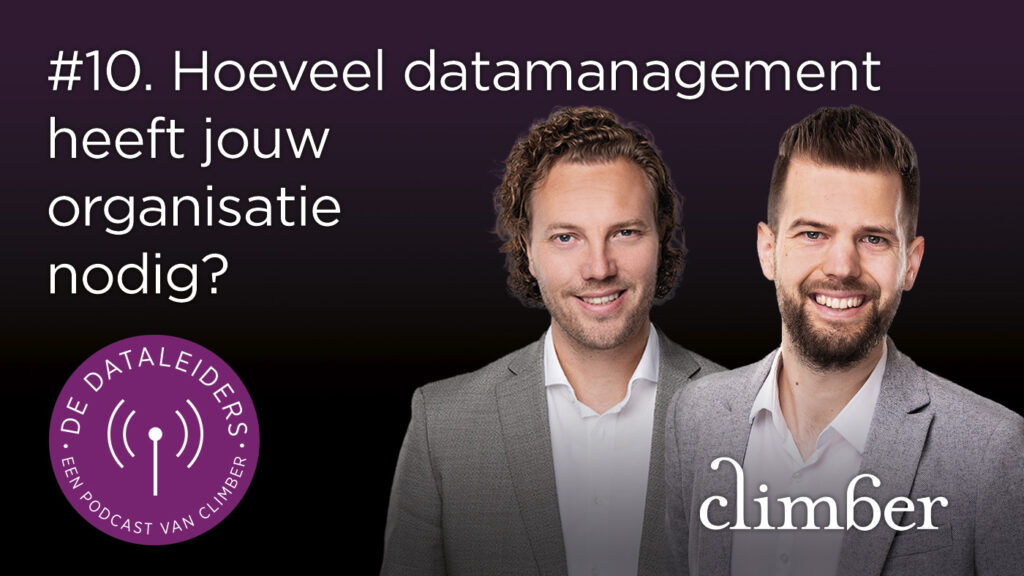
Hoeveel datamanagement heeft jouw organisatie nodig?
Jordy Wegman en Bas Haarhuis bespreken wat datamanagement is, wie verantwoordelijk is en hoe je bepaalt welke afspraken en rollen bij jouw organisatie passen. Aflevering 10 van De Dataleiders & Deel 1 van het tweeluik over datamanagement.
>> Bekijk hier